
Everyone on site. One app.
Workers check in on site, fill their week and see their pay. Clients see who is on site right now and approve hours site by site. The same app, showing each person what they need.
- One app for workers and clients
- Works without signal
- Location only at your sites
- Optional Face ID or fingerprint lock
- Free to download
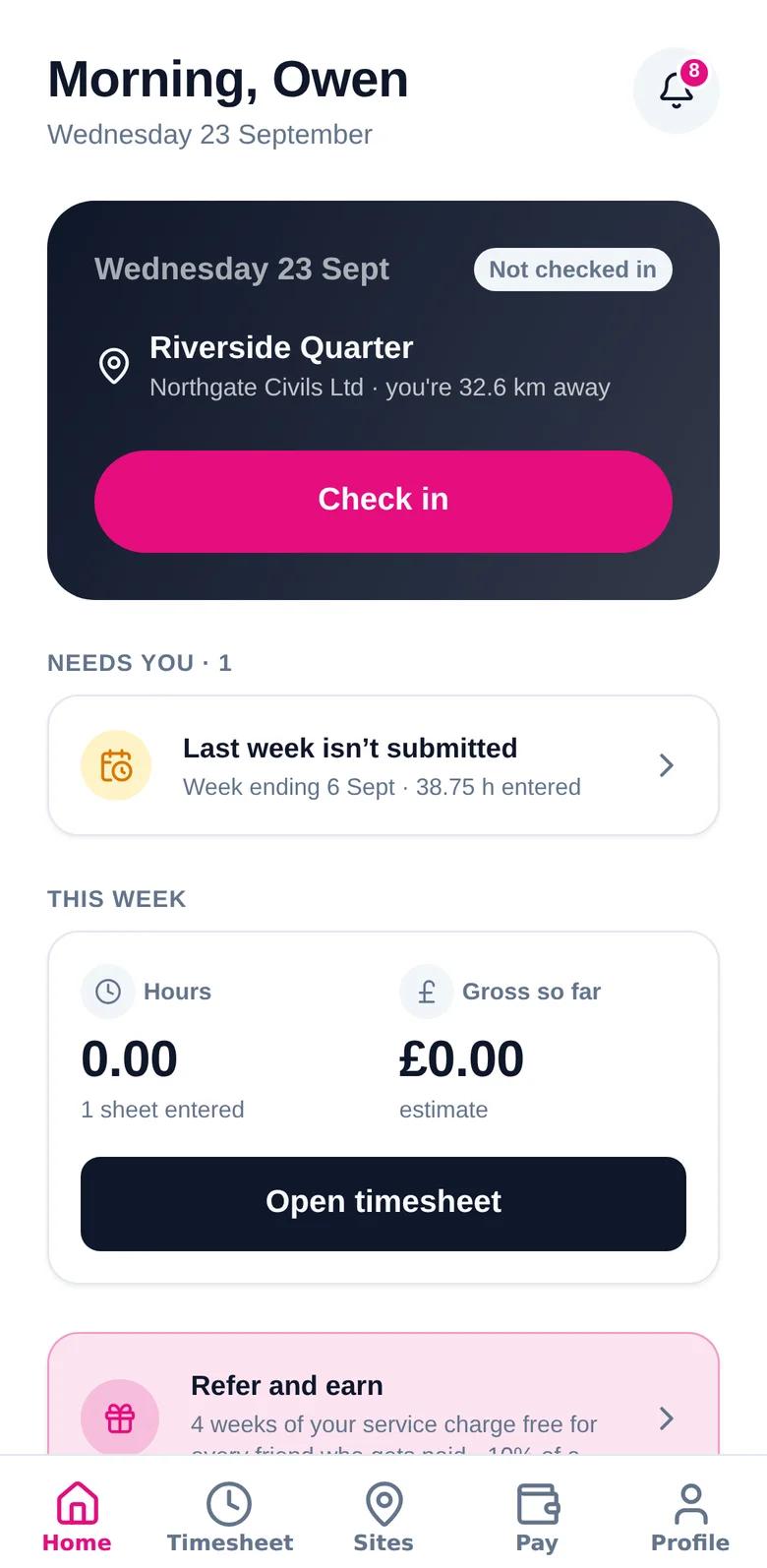
Your shift, your hours, your pay — in your pocket
Everything a worker used to phone the office about, on one screen.
One tap on site. Your working time on screen.
Today’s site is on the home screen. Check in when you arrive and it is confirmed against the site’s location — no clocking machine, no paper sheet.
- Check in and out with one tap at the site boundary
- Working time runs on screen while you’re on shift
- What needs you — like last week’s timesheet — is flagged up front
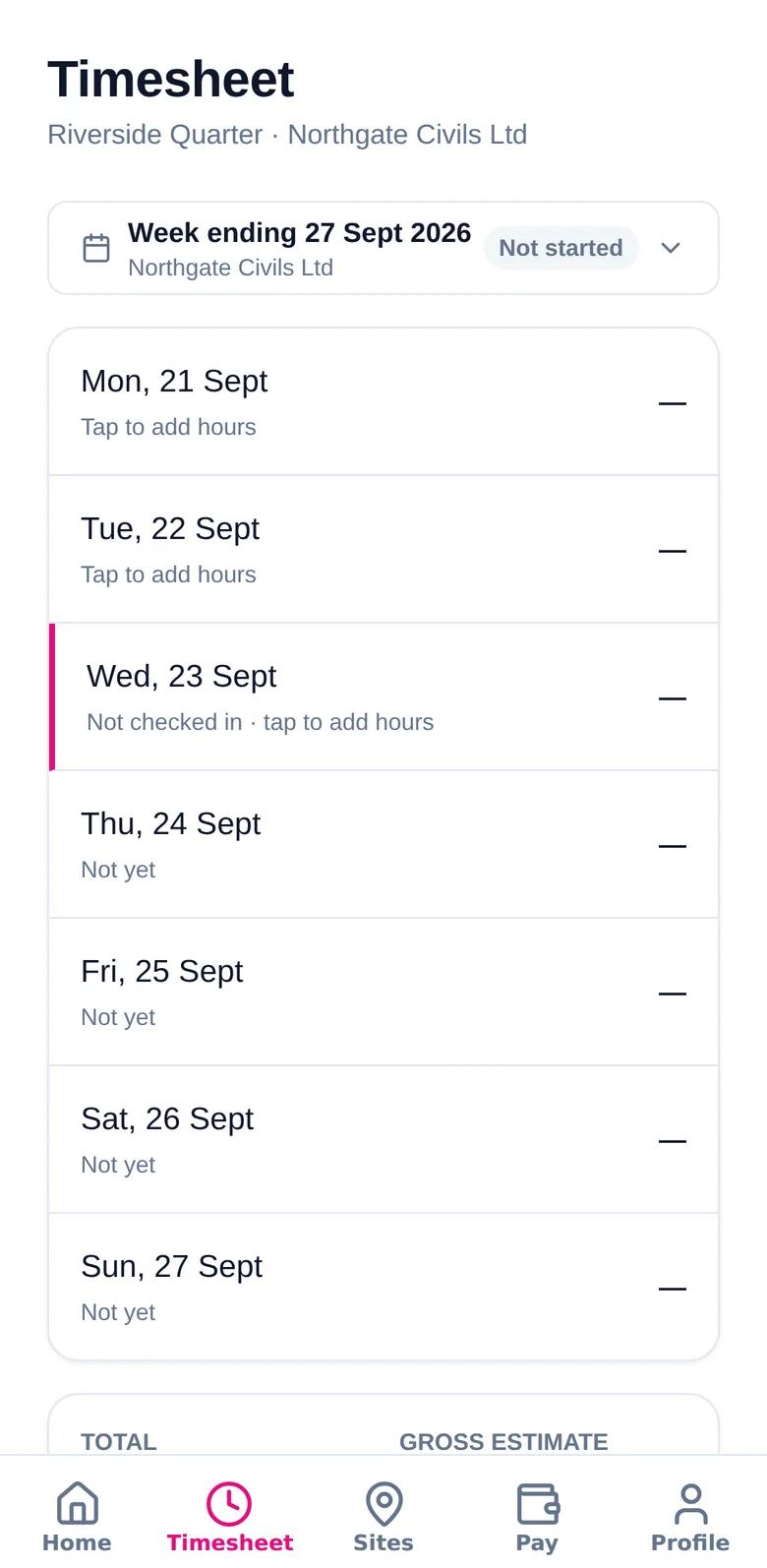
Your week, a day at a time.
Hours land on the timesheet as you check in and out, or you add them yourself. Submit when the week is done and see when it has been approved.
- Monday to Sunday on one screen, with the gross estimate at the bottom
- Tap a day to add or correct hours
- See the status — not started, submitted, approved
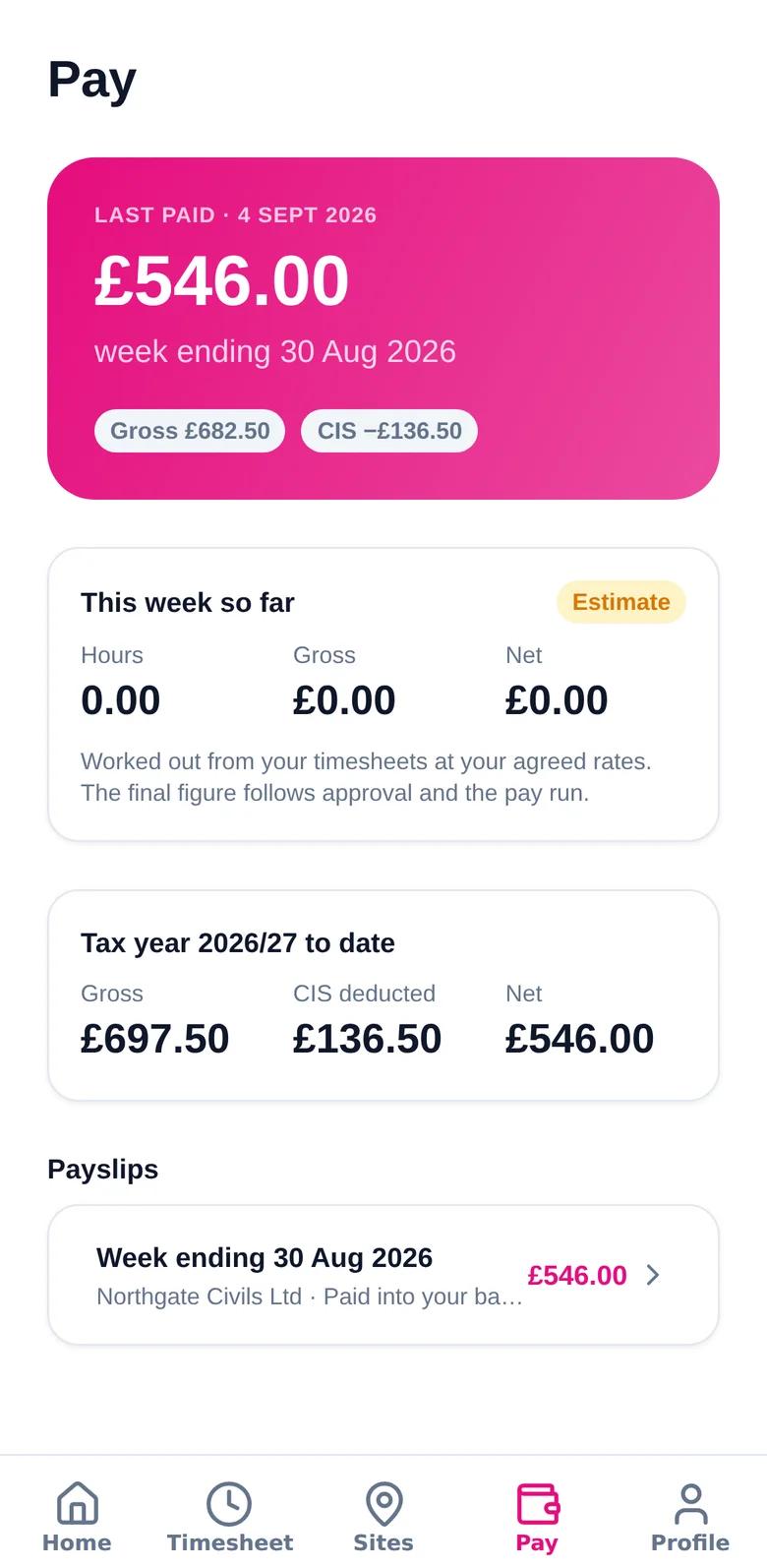
Know what you’ll be paid.
Your last payment, this week’s hours and an estimate of gross pay, your tax year to date and every payslip — all in one place.
- Last paid amount and the week it covers
- Gross, CIS deducted and net for the tax year so far
- Every payslip, any time — no chasing the office
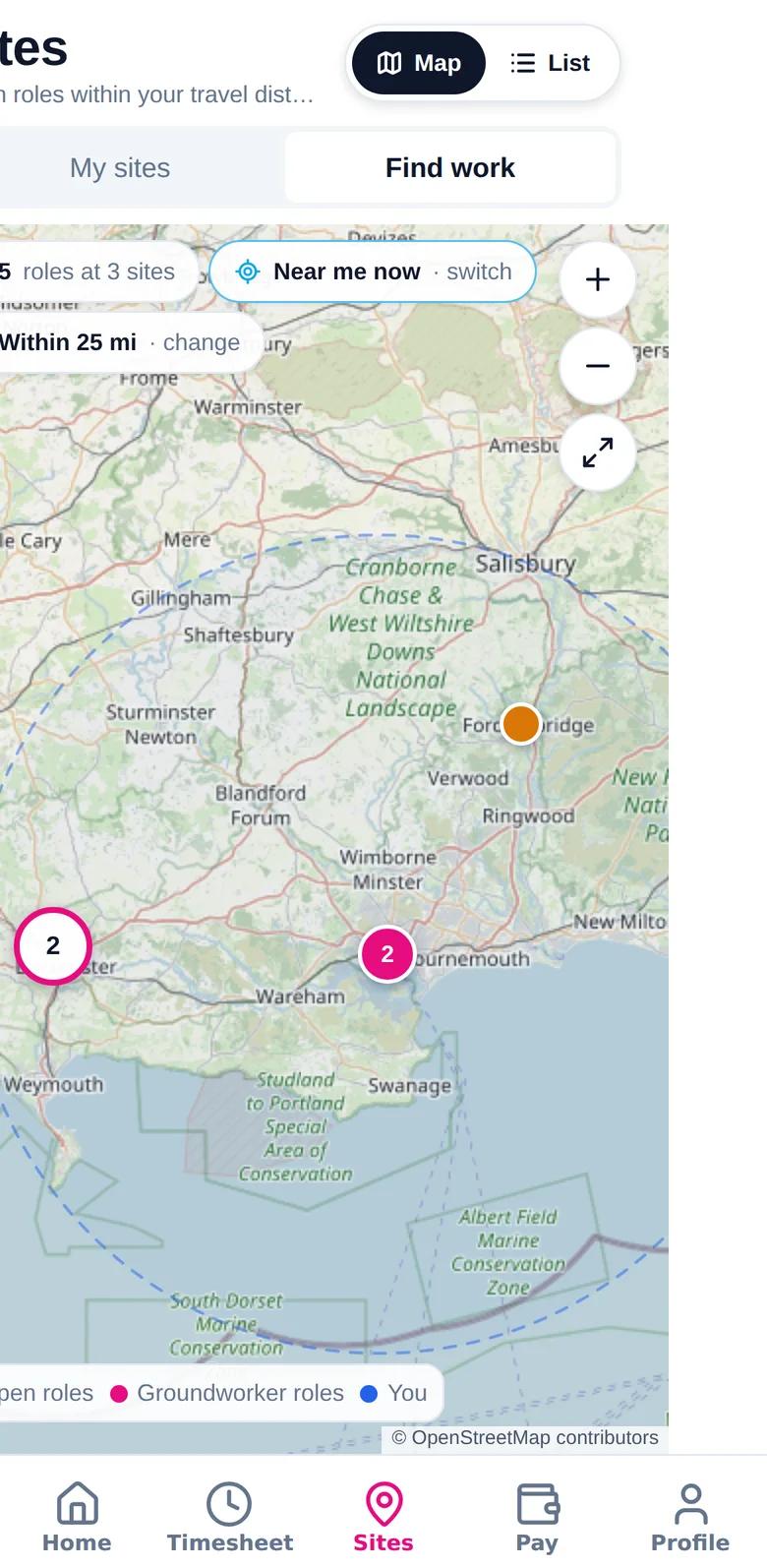
Your sites on a map — and work near you.
See where you’re placed, how far away it is and get directions, with the site documents you need to read before you start. Looking for more? Find openings near home, or near wherever you are right now.
- Your sites with directions and site documents
- Openings within your chosen distance
- “Near me now” uses your phone’s location — only when you ask
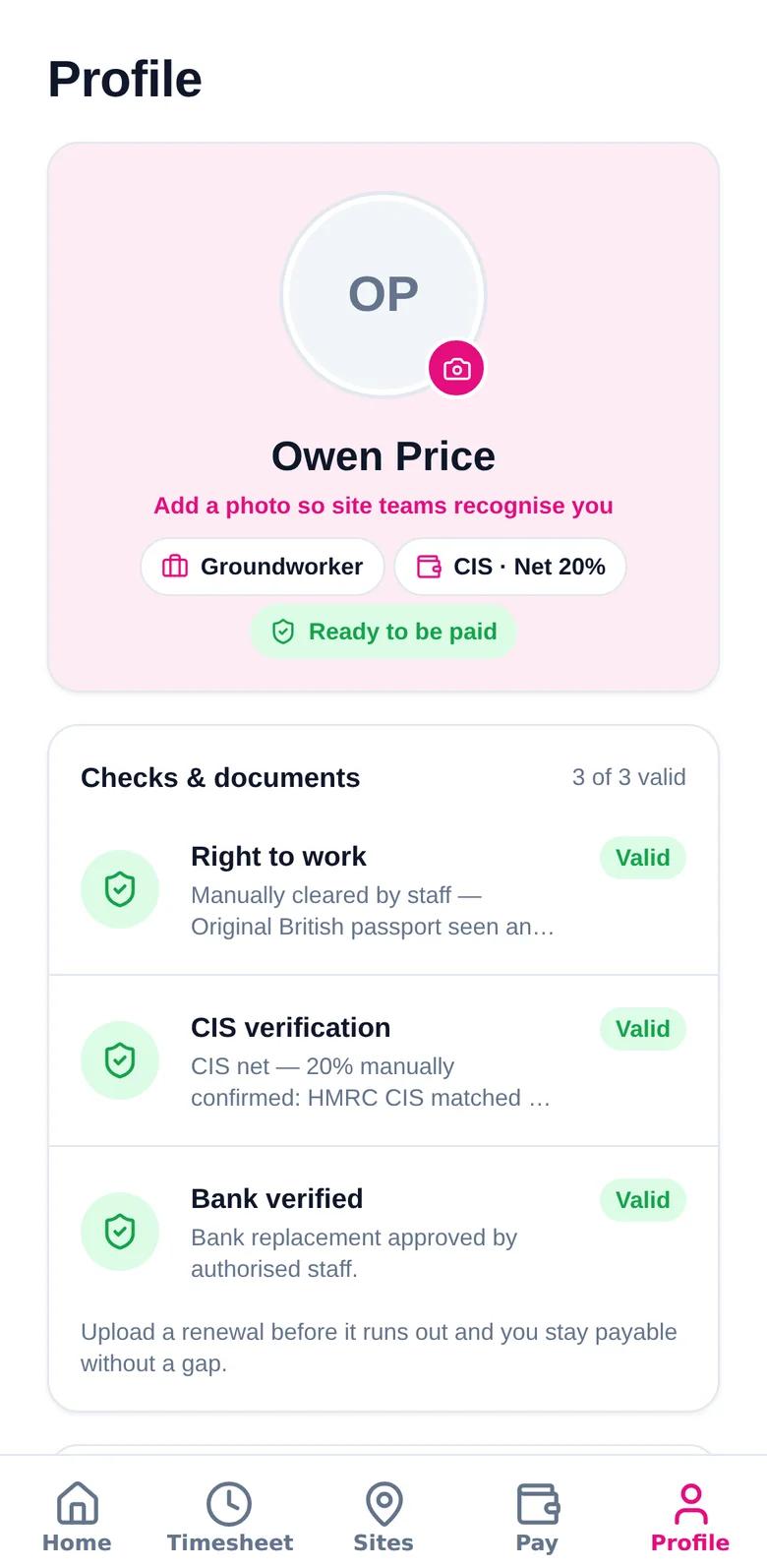
Ready to be paid — or told exactly what to fix.
Right to work, CIS status and bank details in one place, with a clear “ready to be paid” signal. If something is missing or about to expire, the app says what to do.
- Right to work, CIS verification and bank checks at a glance
- Upload a renewal before a document runs out
- Refer a friend or a company and track your reward
Know who is on site. Approve the week from the cab.
The client side of the same app — live attendance, timesheet approval and your whole workforce.
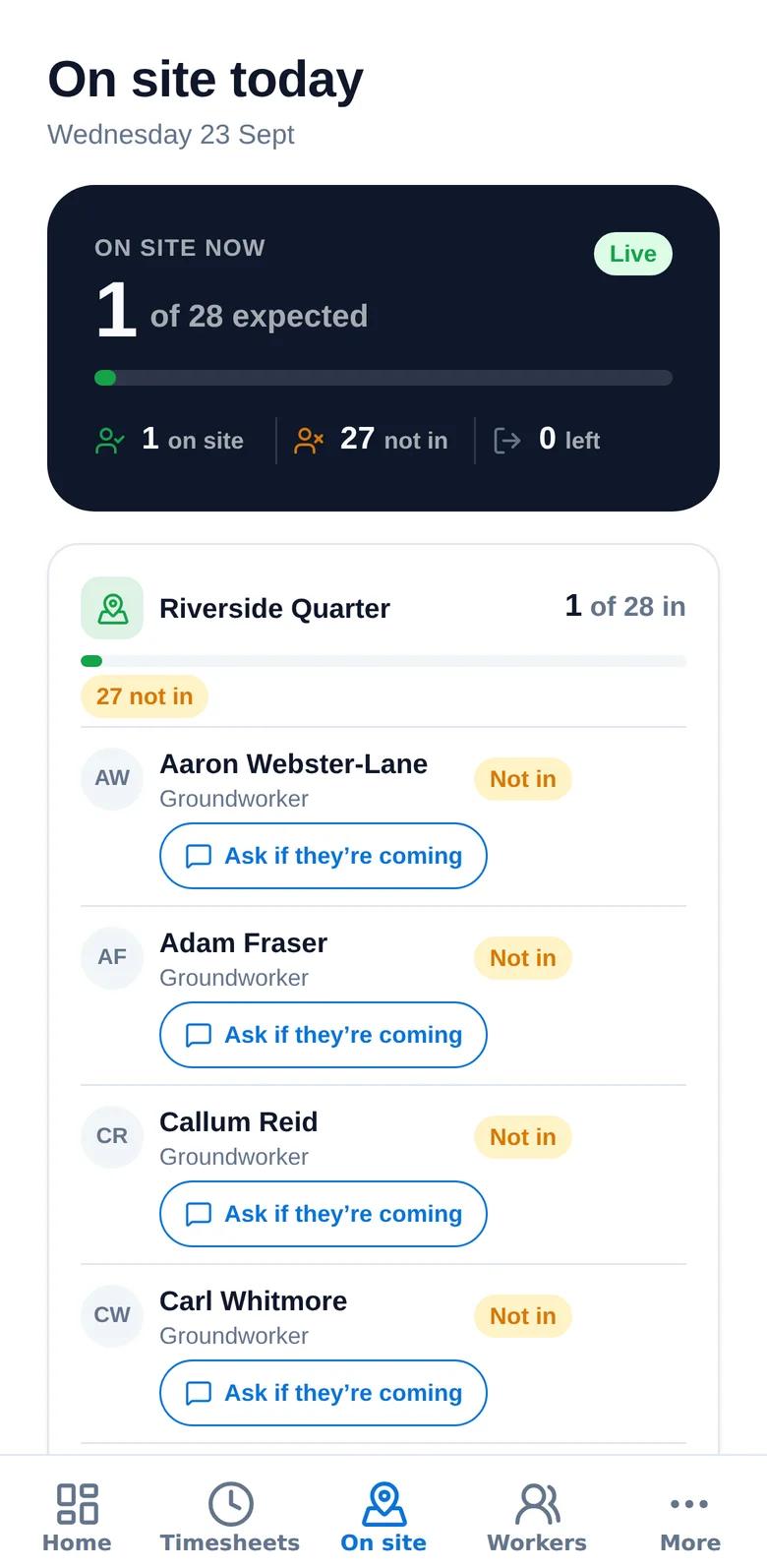
Who is on site — live.
Per site, see who has arrived, who is expected and who hasn’t turned up yet — and ask them if they’re coming in one tap.
- Live count of who is on site against who is expected
- Every expected worker, with their trade
- “Ask if they’re coming” straight from the list
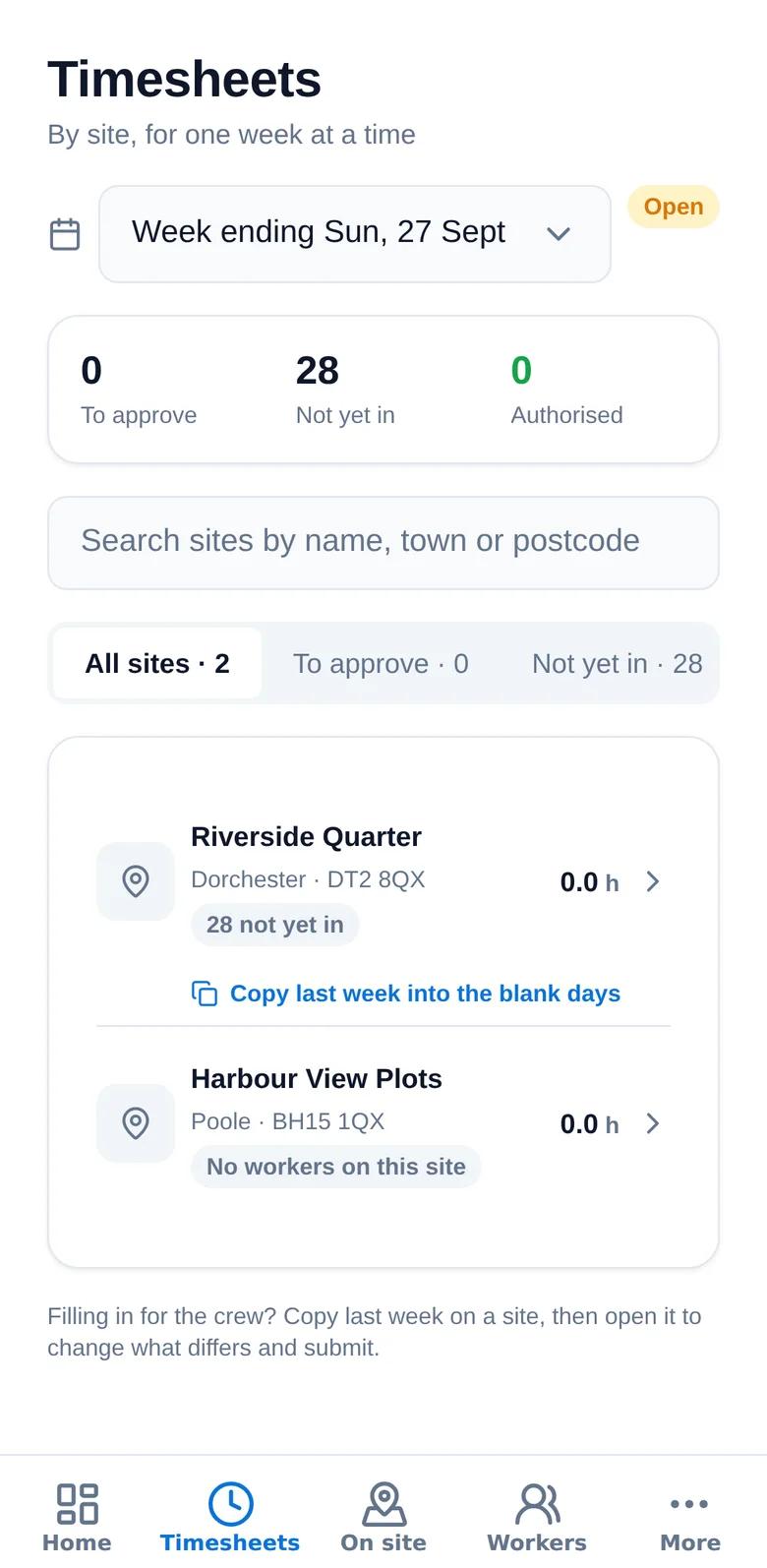
Approve hours site by site.
One week at a time, by site: what is waiting for you, what is not in yet and what is authorised — with the totals before you approve.
- To approve, not yet in and authorised — counted for you
- Search sites by name, town or postcode
- Copy last week into the blank days when you’re filling in for the crew
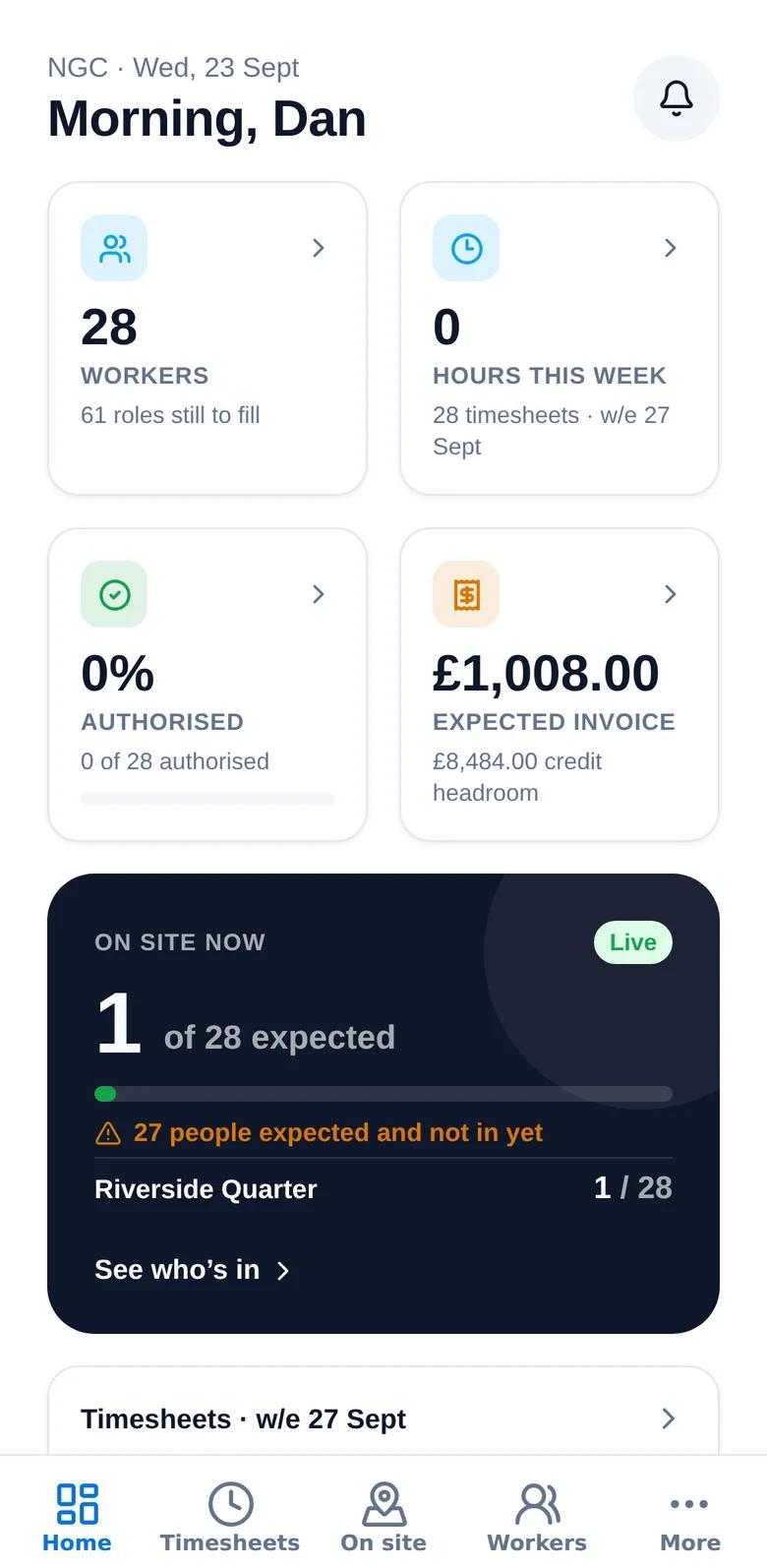
Your labour at a glance.
Workers placed, roles still to fill, hours this week, how much is authorised and the expected invoice — on the first screen you see.
- Workers placed and roles still open
- Hours this week and the share authorised
- Expected invoice and available credit
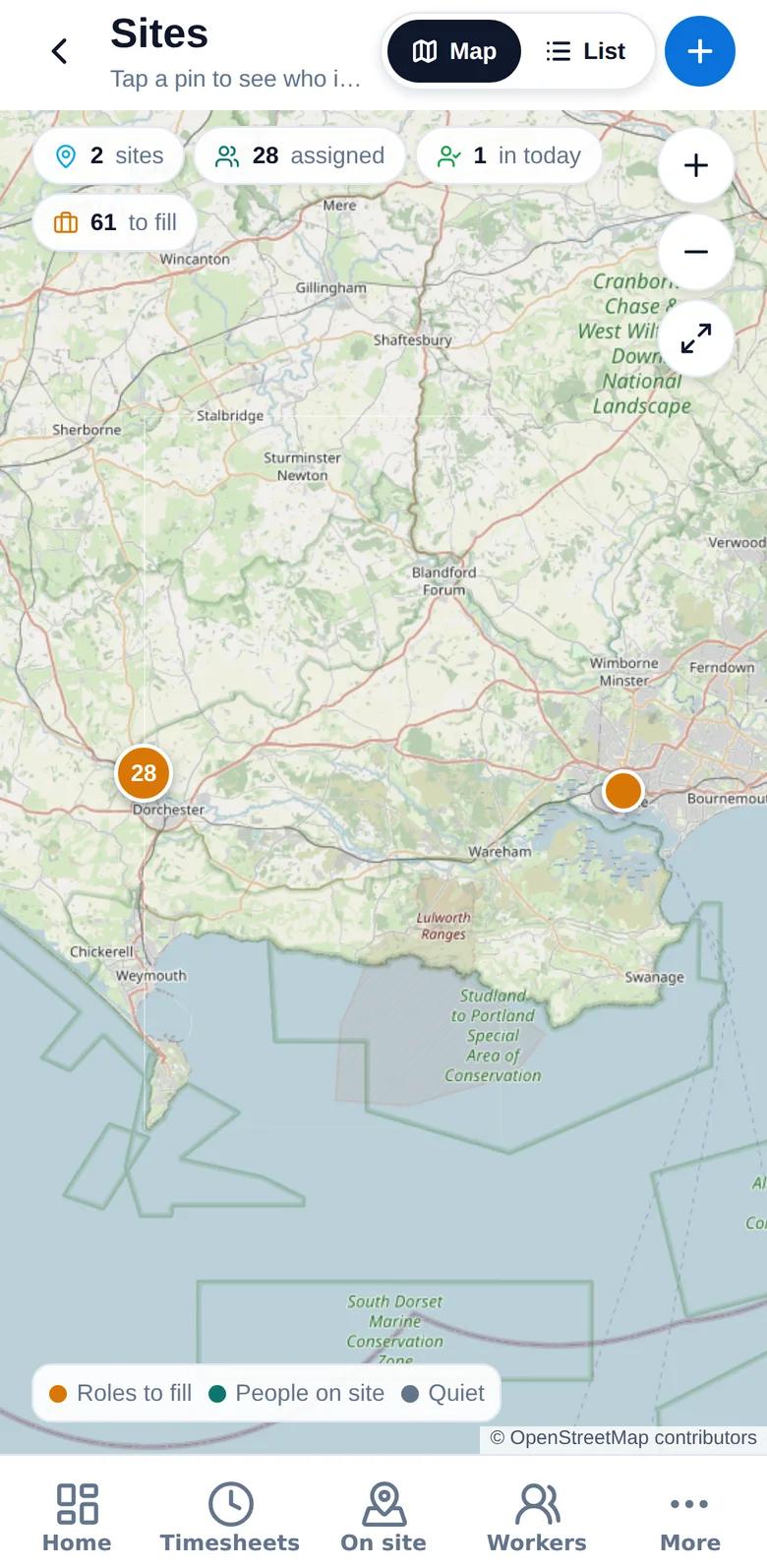
Every site on a map. Every worker in one list.
See each site with how many people are assigned and how many roles are still to fill, and your whole workforce with their role, site and status.
- Sites map with people on site and roles to fill
- Search your workers by name or trade
- Raise orders, add walk-on workers and see invoices as they’re issued
Up and running in minutes
- 1
Download
Get the app from Google Play — or scan the code on this page with your phone camera.
- 2
Sign in or register
Use the login you were given, or register as a worker with your email and mobile number.
- 3
Verify once
Workers check their right to work with the phone’s camera. Clients are set up by our team.
- 4
Go
Workers check in on site and see their pay. Clients see who is on site and approve the week.
Get Genius Workforce PRO
Free on Google Play, and coming soon to iPhone. On a computer? Scan the code with your phone’s camera to go straight to the store.
Common questions
Is there one app or two?
One app. It shows the right screens for who you are — a client sees sites, workers, timesheets and orders; a worker sees their check-in, timesheet, pay and jobs.
Is it on iPhone?
It is live on Google Play now. The iPhone version is with Apple and will be on the App Store soon — until then, iPhone users can sign in on this website.
Does the app track my location?
Only at the sites you are placed on, when you check in and out, and when you ask it to find work near you. There is no tracking between sites or outside work.
Can I use it without signal?
Yes. Check-ins made with no coverage are kept on your phone with the real time and sent when you are back online.
Can I lock it with Face ID or my fingerprint?
Yes, if you want to. The lock is optional and can be turned on or off in the app.
How do I get an account?
Clients and their site managers are set up by our team. Workers can be invited, or register in the app with their email and mobile number and complete onboarding — including the right-to-work check — from their phone.
Does it cost anything?
No. The app is free for our workers and clients.
Want to see the app on your sites?
Tell us about your workforce and the team will walk you through it.